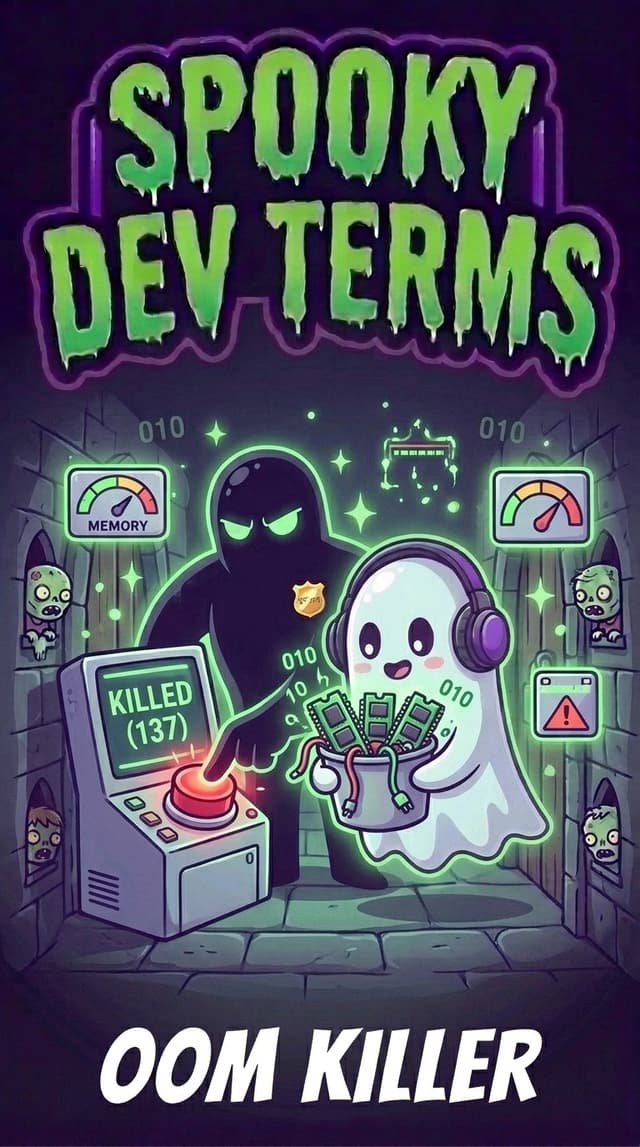
What the Heck is the OOM Killer? (And Why Did Your Program Just Vanish?)
Imagine you are running a heavy task on your computer. Maybe you are compiling a big web application, crunching a giant spreadsheet, or testing an AI model.
The progress bar is ticking along nicely. Your laptop fan kicks into high gear. Everything looks promising.
Then, without a single warning dialog, without a friendly error message, and without a stack trace, your program evaporates into thin air.
Your terminal cursor blinks calmly, showing just one chilling word:
Killed
Or if you look at the exit status, you see a mysterious number:
Process finished with exit code 137
No explanation. No apology. No chance to save your progress.
If you are new to building software, this feels eerie. Did your program get struck by digital lightning? Did your operating system get possessed?
Don't panic... your code didn't break, and your machine isn't haunted. Your app was just visited by one of the most ruthless, merciless background operators in modern computing: the OOM Killer (short for Out Of Memory Killer).
The Spooky Metaphor: The Haunted Mansion Bouncer
To picture why the OOM Killer exists, imagine an extravagant Halloween costume party held inside a spooky old mansion.
The grand ballroom has a strict fire code capacity: exactly 500 guests can fit on the wooden floorboards. In computer terms, this ballroom is your RAM (Random Access Memory), the short-term physical workspace where active programs live and stretch out.
At first, the party is pleasant:
- A small music playlist process sits quietly in the corner sipping punch.
- Your code editor lounges by the fireplace.
- Your web browser mingles by the buffet table, nibbling on a couple hundred megabytes of snacks.
Everything is under control. But then, an unruly guest arrives: The Runaway Build Script.
This guest does not know when to stop. They invite twenty cousins. They order fifty pizza boxes. They drag inflatable bouncy castles into the ballroom. They consume floor space at a breakneck pace.
The ballroom becomes so packed that people are pressed against the wallpaper. The historic floorboards begin to creak, groan, and splinter under the sheer mass.
If this continues for another thirty seconds, the entire mansion will collapse straight into the dungeon below, destroying the party and crushing every guest inside (in operating system terms: a total computer freeze or kernel crash).
Standing in the shadowy archway is The Bouncer (the OOM Killer).
The Bouncer does not hand out gentle warnings. The Bouncer does not politely ask guests to drink less punch. When the floor is seconds away from collapsing, The Bouncer marches across the room, taps the biggest, greediest guest on the shoulder, and tosses them straight out the second-story stained-glass window into the moat.
The guest is gone in a flash. The room suddenly has breathing room again. The mansion floor stops creaking, and the rest of the party survives.
The 101 Technical Reality: Why Computers Overbook Memory
Why would an operating system resort to such aggressive violence?
To understand the OOM Killer, we have to uncover a dirty little secret of computer operating systems: they lie to programs all the time.
In computer science, this is called memory overcommit.
Think of your operating system (like Linux, macOS, or Windows) like a busy commercial airline. An airline knows that on any given flight, a few passengers will miss their connection, cancel last minute, or oversleep. So the airline regularly sells 105 tickets for a 100-seat plane, betting that everyone won't show up at once.
Operating systems do the exact same thing with RAM:
- When a program starts up, it politely tells the system kernel (the master traffic cop of your computer): "Hey, I might need 4 gigabytes of memory today!"
- The kernel smiles and says: "Sure thing! Here is an address slip for 4 gigabytes."
- But the kernel doesn't actually hand over real physical RAM chips yet. It waits until the program actually writes data into those spaces.
Most of the time, this clever gamble works brilliantly. Dozens of lightweight apps can run side by side without hoarding hardware.
The Moment the Bluff is Called
Every once in a while, every passenger shows up at the departure gate at the same time.
Your web browser decides to load forty video tabs. Your AI script loads a multi-gigabyte training dataset. Your dev server starts compiling thousands of assets.
Suddenly, every program demands its promised RAM at the exact same moment. The physical memory chips hit 99% capacity. The hard drive overflow buffer (known as swap space) fills to the brim.
The kernel is now trapped in a corner:
- If it does nothing, the computer locks up completely. The mouse cursor freezes, keyboard inputs fail, and your only choice is holding down the physical power button.
- Or it can unleash the OOM Killer.
How the OOM Killer Picks Its Victim (The Badness Score)
The OOM Killer doesn't pick victims randomly. It acts like a cold, calculating triage surgeon using a metric Linux calls the oom_score (sometimes nicknamed the "badness score"):
$$\text{Badness Score} \approx \text{RAM Consumed} + \text{Recent Growth} - \text{System Importance}$$
Here is how the calculation plays out in plain English:
- How much memory are you hogging? A process gobbling up 60% of total system RAM is prime target #1.
- Are you expendable? The kernel gives heavy protection to vital system organs (like
systemd, init scripts, or display managers). If killing a process would brick the machine anyway, the bouncer looks elsewhere. - Did a user ask to protect you? Developers can configure an
oom_score_adjadjustment knob to tell the system: "Please spare my database server at all costs, but feel free to whack my background cache worker if things get tight."
Once the OOM Killer identifies the biggest offending process, it doesn't send a polite SIGTERM request asking the app to wrap up its work.
Instead, it sends SIGKILL (Signal 9).
SIGKILL is the digital eject button. A program cannot catch it, cannot handle it, and cannot write an error message to a log file. The operating system simply wipes the process from memory instantly. That is why your terminal displays only the raw word Killed... the program was already dead before it could even whisper a final goodbye.
The Telltale Clues: Decoding Exit Code 137
Because the OOM Killer terminates programs before they can log an error, figuring out what happened can feel like investigating a crime scene with no witnesses.
Here are the three smoking guns to look for:
1. Exit Code 137
In Unix and Linux environments, when a process is killed by a signal, its exit status code is calculated as:
$$128 + \text{Signal Number}$$
Because SIGKILL is signal number 9, the math is simple:
$$128 + 9 = 137$$
If you ever see a CI/CD build runner, a Docker container, or a terminal command terminate with Exit Code 137, that is the universal calling card of the OOM Killer.
2. The Container "OOMKilled: true" Flag
If you run apps inside Docker or Kubernetes containers, containers have strict memory fences (called cgroups).
If your container exceeds its assigned memory quota (say, 512 megabytes), the host system won't crash, but the bouncer will vaporize that specific container. Running docker inspect will reveal the smoking gun:
"State": {
    "OOMKilled": true,
    "ExitCode": 137
}
3. The Kernel Ring Buffer (dmesg)
If you have terminal access on a Linux server or virtual machine, you can ask the kernel directly who committed the deed:
dmesg -T | grep -i -E 'oom[-_]killer|out of memory'
The system will print the exact timestamp, the process name, and the memory tally right before the bouncer struck.
The Top Three Cultprits Behind Out-Of-Memory Hauntings
Why did your app run out of room in the first place? In 99% of cases, one of these three gremlins is responsible:
1. The "Slurp the Whole File" Trap
Imagine you need to process a 4-gigabyte CSV export or video log.
A beginner script often reads the entire file into memory with a single call (like fs.readFileSync or data = file.read()). That instantly demands 4 gigabytes of continuous RAM.
Instead, use streams or chunked reading... sip the data one glass at a time instead of trying to drink the whole firehose at once.
2. The Slow-Drip Memory Leak
A memory leak is code that hoards digital junk.
Perhaps your server adds every user request to an unbounded array in memory to build analytics, but never clears old entries. Over six hours, that array swells from 10 megabytes to 8 gigabytes until the OOM Killer finally steps in to clean house.
3. Unrealistic Container Quotas
In modern cloud deployments, developers often spin up microservices with tiny default limits (like 256MB of RAM) to save money.
The moment two users upload a photo simultaneously, the container hits the glass ceiling and gets instantly OOMKilled.
Taming Memory in Google Antigravity
When developing modern AI-driven applications with Google Antigravity, you are often orchestrating multi-agent tasks, running local dev servers, and executing automated test suites concurrently.
Antigravity provides smart safety rails to keep you from running afoul of memory ceilings:
- Task Resource Visibility: Background tasks and long-running subagents in Antigravity run with real-time process monitoring. If a background command or subagent task starts consuming runaway resources, Antigravity alerts you early rather than letting your local system lock up.
- Graceful Exit Diagnostics: When a task ends abruptly with Exit Code 137, Antigravity identifies the resource threshold violation immediately, sparing you hours of guessing why a build script vanished.
What to Ask Your AI Coding Assistant
If your script or dev server gets vaporized with exit code 137, do not guess in the dark. Give your AI coding assistant this clear prompt:
"My script just terminated with exit code 137 (OOM Killer). Can you analyze this code for high memory consumption, replace any full-file loads with streaming or batch iterators, and check for runaway state accumulation?"
Your AI assistant will pinpoint where data is piling up and refactor your logic to stream data efficiently.
The Builder's Spooky-to-Human Cheat Sheet
| When you see or hear... | What it actually means... |
|---|---|
| OOM Killer | The operating system kernel's safety mechanism that terminates a high-memory process to prevent the entire computer from locking up. |
| Exit Code 137 | The mathematical fingerprint ($128 + 9$) showing your process was abruptly terminated by SIGKILL due to memory exhaustion. |
Killed |
The raw, unapologetic one-word obituary printed in your terminal when a process is eliminated without notice. |
| Memory Overcommit | The operating system's optimistic promise of memory to apps before physical RAM is actually occupied. |
| Swap Space | Emergency overflow storage on your hard drive used when physical RAM fills up. |
oom_score |
The "badness score" calculated by the kernel to determine which process is the safest and most effective to sacrifice. |
| Streaming / Chunking | Processing data in bite-sized pieces rather than loading the whole file into RAM at once. |
Builder Takeaways
- The OOM Killer is a bodyguard, not a bug: Without it, running out of memory would freeze your entire computer or crash your cloud server.
- Exit Code 137 is your smoking gun: When a process disappears without an error log, check the exit code. If it is 137, memory was the culprit.
- Stream, don't slurp: Avoid loading multi-gigabyte files or datasets into memory all at once. Process items sequentially or in batches.
- Monitor container fences: When running Docker or Kubernetes, ensure your memory limits reflect real-world spikes during builds or traffic surges.
- Let AI refactor the bottlenecks: When memory runs hot, ask your AI coding assistant to swap in streaming pipelines and bounded caches.
Next time your terminal throws a blunt Killed message, don't look over your shoulder for ghosts. The OOM Killer just stepped in to save your computer from collapse... and with a little streaming magic, your apps will run smoothly and stay well within safe limits! 👻