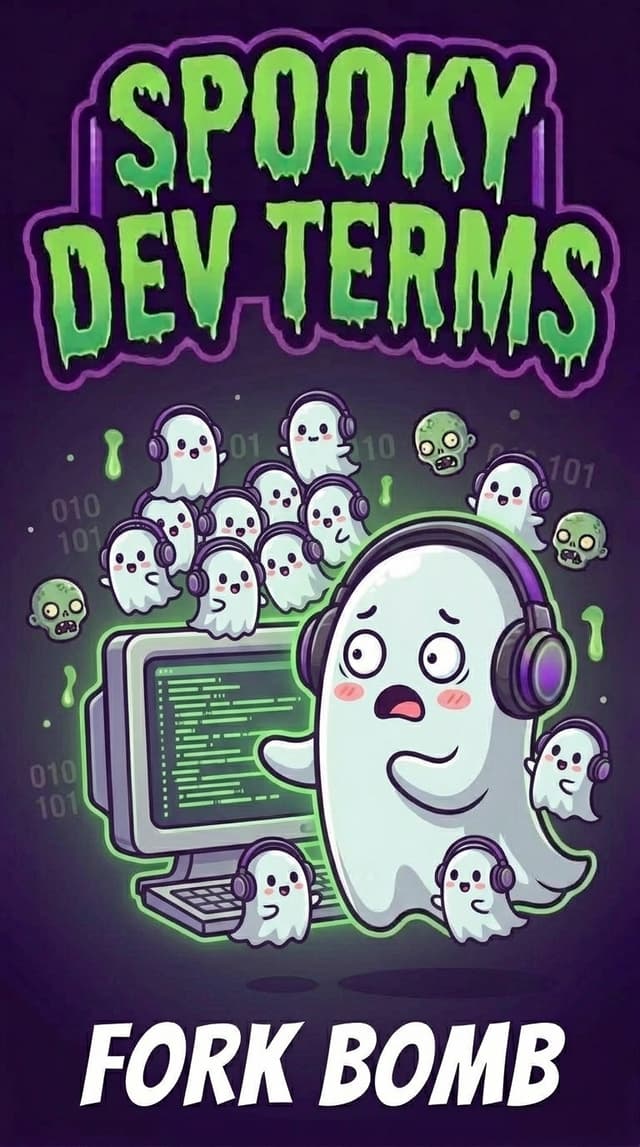
What the Heck is a Fork Bomb? (And How Do You Keep Your AI From Setting One Off?)
You’re building an app with an AI coding tool, testing a new automation script, and suddenly your laptop fan sounds like a jet engine taking off—right before an ominous error flashes across the chat:
fork: Resource temporarily unavailable (Cannot allocate memory)
If you aren’t a software engineer, fork bomb sounds like either a kitchen appliance disaster or a cyberattack from a 90s hacker movie. Did your AI just blow up your laptop?
Not at all. Nothing inside your computer is exploding, your files are completely safe, and you aren’t being hacked. In fact, an accidental fork bomb is really just a case of The Sorcerer’s Apprentice—where a program clones a helper to get work done faster, and forgets when to stop.
What is a Fork Bomb, Really?
In our earlier posts on daemons, kill -9, and zombie processes, we talked about how a main program (the Parent Process) spins up smaller background helpers (Child Processes) and hands each one a temporary coat-check ticket number called a Process ID (PID).
To understand a fork bomb, start by taking the scary word "bomb" out of your head and looking at the word fork.
It has nothing to do with silverware. Think of a fork in the road—where one single path splits into two:
- Normal Forking (Healthy Multitasking): Whenever a program needs to do two things at once, it forks—splitting off a quick carbon copy of itself to handle the side job. Your computer forks processes thousands of times a day whenever your AI runs a test, opens a browser tab, or saves a file.
- A Fork Bomb (Infinite Helpers Hiring Helpers): A fork bomb happens when a program forks a helper, and that helper immediately runs the exact same instruction to fork more helpers, over and over in an infinite loop.
Here is how an accidental fork bomb plays out behind the scenes in three seconds:
- The Helpful Split (
fork): Program #1 starts up and spawns Helper #2 to run a task. - The Accidental Loop: Because of a bug in the script, Helper #2 starts from the top of the same instructions and immediately spawns two more helpers (#3 and #4)—who each spawn two more (#5, #6, #7, #8)...
- The Coat-Check Counter Runs Out of Tickets: Just like Mickey Mouse’s enchanted broomsticks in Fantasia, 1 helper becomes 2, then 4, 8, 16, 32, 1,024... Within seconds, your computer’s operating system runs out of memory and coat-check ticket numbers (PIDs). Nothing is permanently damaged, but your computer freezes up because the manager at the front desk is too busy handing out name tags to let anyone do actual work.
(Wait—what is that weird :(){ :|:& };: code engineers joke about?!) If you ever see developers post those punctuation marks in a meme, don’t paste them into your terminal! It isn’t alien code—it’s just a famous 1970s Unix one-liner that defines a tiny function named : that tells the computer: "Call yourself twice (:|:) in the background (&), and never stop."
Where Builders Meet Fork Bombs in AI Dev Tools
When you’re vibe-coding with AI, nobody is setting off a fork bomb on purpose. Instead, builders bump into accidental "mini fork bombs" (runaway process loops) in three everyday moments:
- The Script That Accidentally Calls Itself (The Mirror-in-a-Mirror Bug) You ask your AI to create a shortcut command—like
npm start—to launch your app. By mistake, the AI writes a startup script that callsnpm startinsidenpm start. Every time the script launches, it launches another copy of itself in an endless chain. - An Over-Eager Auto-Refresh Watcher Remember file-watcher daemons that automatically rebuild your app whenever you edit a file? If your AI sets up a watcher on your project folder, and the rebuild step saves a temporary file back into that same watched folder, the watcher spots the new file and triggers another rebuild—which saves another file and triggers another rebuild, spawning dozens of background helpers a second.
- The "Do All 500 at Once" Traffic Jam You ask your AI to resize 500 images, scrape 100 web pages, or run 50 headless browser tests, and the AI writes a loop that launches all of them at the exact same millisecond instead of in small batches. Your terminal hits
fork: Resource temporarily unavailablebecause every coat-check ticket got grabbed at once.
Why Builders Should Care (And How It Works in Google Antigravity)
You don’t need to configure operating system kernel limits, but knowing how runaway process loops happen gives you three practical superpowers when building in Google Antigravity and other AI dev tools:
- Built-In Blast Walls with the Antigravity Terminal Sandbox & OS Circuit Breakers: Modern operating systems have a built-in safety fuse (called
ulimit) that caps how many processes can run at once—which is why your terminal saysResource temporarily unavailableinstead of letting your laptop melt. And when your agent runs commands inside the Antigravity Terminal Sandbox, shell commands run inside isolated OS-level container boundaries to keep your workstation safe. - Catch Runaway Loops Early with
/tasksand/agents(Antigravity CLI): If your laptop fan suddenly roars to life after your AI starts a script or spins up background helpers, you don’t have to guess what’s happening. In the Antigravity CLI (agy), type/tasksto inspect and cancel any runaway background task—or type/agentsto check on and stop active subagents before they multiply. - Ask Your AI for "Batches" and "Exit Conditions": Whenever you ask your AI to write a script that processes lots of items, retries failed requests, or spawns background workers, one sentence in your prompt prevents 99% of accidental fork bombs. What to tell your AI: "Run these tasks in small batches (max 3–5 at a time) instead of all at once, and make sure any retry or watcher loop has a clear stopping condition so it can't trigger itself infinitely."
The Builder’s Spooky-to-Human Cheat Sheet
| When your AI says… | What it actually means… |
|---|---|
fork (or Forking a Process) |
"A program making a quick helper copy of itself so it can do two jobs at once." |
| Fork Bomb | "A buggy script that keeps cloning new helpers in an infinite loop until the computer runs out of coat-check tickets (PIDs)." |
fork: Resource temporarily unavailable (or EAGAIN) |
"Your computer’s safety fuse just tripped: 'Whoa, you already have too many helper programs open—close some before starting more!'" |
ulimit (Process Limit) |
"The built-in circuit breaker your operating system uses to cap how many programs can run at the same time." |
| Concurrency / Batch Limit | "A speed limit in your code (like 'only run 5 helpers at a time') that keeps parallel tasks from turning into a traffic jam." |
Builder Takeaway
- Hear your fans spin up or see
fork: Resource temporarily unavailable? Nothing is broken—a script or file watcher just spawned too many background helpers at once. Stop the parent task in/tasks(or restart your terminal) to clear the room. - Running a big job across lots of files or pages? Ask your AI to batch the work (3–5 at a time) and exclude output folders from file watchers so scripts don’t trigger themselves.
Next time someone mentions a fork bomb—or your terminal complains that fork is temporarily unavailable—don’t call the bomb squad. Your AI just got a little too enthusiastic cloning its backstage helpers, and your computer’s circuit breaker stepped in to save the day.