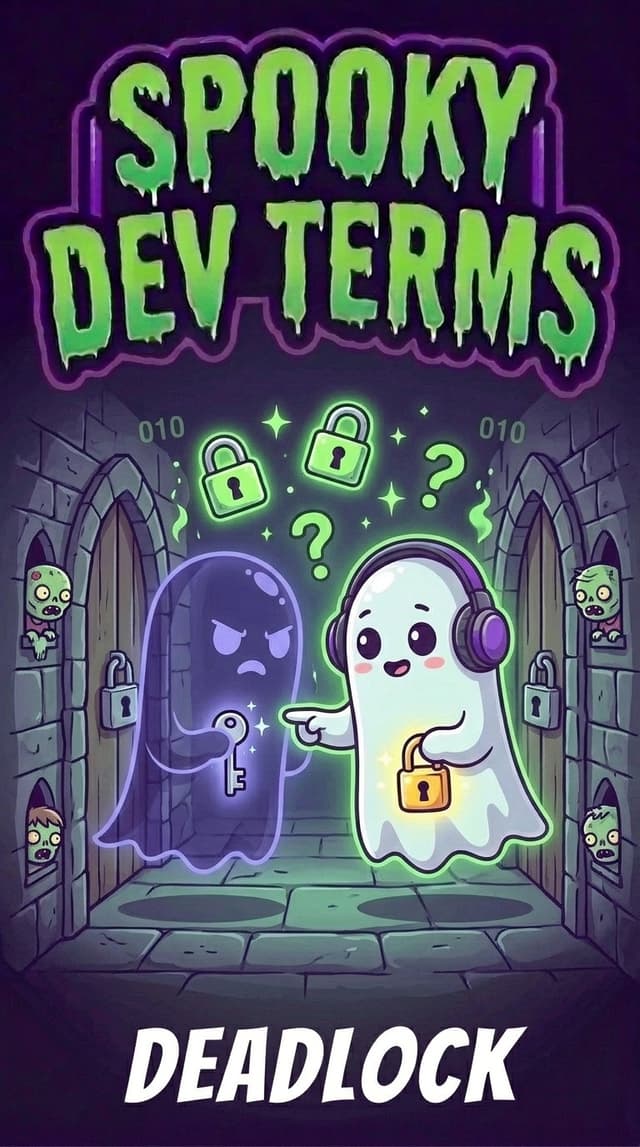
What the Heck is a Deadlock? (And Why Did Everything Just Freeze?)
You click a button in your application to process a payment, save a profile, or kick off a data import.
The loading spinner appears.
You wait a second. Then five seconds. Then thirty seconds.
Curious, you pop open your developer console or terminal, bracing yourself for an angry blast of red error text. But to your surprise... there is nothing there. No error logs. No crash reports. No stack trace. Your computer's fans aren't screaming, and your CPU isn't melting down.
Your program hasn't crashed. It hasn't finished. It has simply stopped moving forward. It is frozen in an eerie, endless standoff known as a deadlock.
The Spooky Metaphor: The Narrow Haunted Hallway
To understand why software gets deadlocked, imagine an old haunted mansion with a very narrow stone hallway... so narrow that only one ghost can squeeze through at a time.
At opposite ends of the hallway are two locked doors: the door to the Library and the door to the Attic.
Two friendly ghosts, Casper and Jasper, enter the hallway from opposite directions:
- Casper picks up the golden key to the Library, floats down the hallway, and reaches the Attic door. To unlock it, he needs the silver key.
- Meanwhile, Jasper picks up the silver key to the Attic, floats from the other side, and reaches the Library door. To unlock it, he needs the golden key.
Now they meet face to face in the middle of the narrow hallway:
- Casper says: "I will not let you pass or give you the Attic door key until you hand me the Library key."
- Jasper replies: "Well, I will not let you pass or give you the Library key until you hand me the Attic key."
Neither ghost will back up. Neither ghost will surrender their key. And neither can proceed to unlock their door.
They are stuck staring at each other for all eternity. That timeless, immovable standoff is exactly what happens inside your computer during a deadlock.
The 101 Technical Reality: Locks and Shared Resources
Why would software ever put itself in a position to freeze like this?
Computers run thousands of tasks at the exact same time. When multiple tasks need to interact with the exact same piece of data (like a user account balance, a database table, or a local file on disk), we have to be very careful.
Imagine a shared physical notepad on an office desk. If two people try to write on the exact same line of that notepad at the exact same millisecond, the ink turns into illegible scribbles. In programming, this mess is called a race condition or data corruption.
To keep data neat and accurate, software uses a safety mechanism called a lock (sometimes called a mutex, short for mutual exclusion):
- Grab the key: Before Task A touches the notepad, it locks the door to the room.
- Do the work: Task A updates the numbers safely, knowing nobody else can barge in.
- Return the key: Once finished, Task A unlocks the door so Task B can take its turn.
Locks are polite! They exist to protect your data from becoming corrupted. But when multiple tasks start juggling multiple locks at the same time, the polite system can turn into a haunted trap.
The 4 Ingredients of a Software Deadlock
Computer scientists discovered that a deadlock cannot happen by accident unless four specific conditions occur at the exact same moment. If you can eliminate even one of these four conditions, the deadlock dissolves into thin air:
1. Mutual Exclusion (The Private Room)
Only one task can hold a resource at a time. If two tasks could safely edit the same record simultaneously, nobody would have to wait.
2. Hold and Wait (The Stubborn Hoarder)
A task holds onto one lock while waiting for another lock to become free. Instead of dropping its current key and stepping aside, it clutches Key 1 tightly while asking for Key 2.
3. No Preemption (No Stealing Allowed)
The operating system cannot forcefully rip a key out of a task's hands. The task must willingly release the key on its own schedule.
4. Circular Wait (The Closed Loop)
Task A is waiting for a lock held by Task B... while Task B is waiting for a lock held by Task A. They form a closed loop of waiting where nobody can take the first step.
Everyday Traps Where Builders Encounter Deadlocks
Even if you aren't writing low-level operating system code, deadlocks can creep into modern web apps and AI-assisted builds in sneaky ways:
1. The Database Standoff
This is the most common deadlock in web development.
- Transaction 1 updates User A, and next needs to update User B.
- Transaction 2 updates User B, and next needs to update User A.
If both transactions launch at the exact same millisecond, Transaction 1 locks User A, Transaction 2 locks User B, and both sit waiting on each other forever until the database engine notices the circular lock and kills one of them.
2. The Tangled Async Chain
In modern JavaScript or Python, you might have two asynchronous background functions waiting for events from each other. Function A waits for a message from Function B before it resolves, while Function B waits for Function A to start listening before it sends the message. The screen stays blank, the loader never vanishes, and the app sits silent.
3. Shared File Access
Two background scripts or local dev tools try to read and write to the same cache file or build artifact at once. Tool 1 locks the file for writing, while Tool 2 locks the folder waiting for Tool 1 to finish... creating an endless traffic jam.
How to Break the Curse: The Builder's Playbook
Preventing deadlocks doesn't require complex mathematical proofs. You just need a few dependable defensive habits:
1. The Alphabet Rule (Lock Ordering)
If your app ever needs to grab two locks, always grab them in the exact same order everywhere in your codebase.
For example, agree that your code must always lock Account A before Account B (sorted alphabetically by user ID). If every task follows this strict order, Task 1 and Task 2 will never reach for opposite keys simultaneously. A circular wait becomes impossible!
2. Never Wait Forever (Set a Timeout)
This is the ultimate safety net. Never write code that waits indefinitely for a response, lock, or database record.
Set a timeout budget... say, 3 seconds. If your task cannot acquire the lock within 3 seconds, tell it to give up, release all keys it currently holds, wait a random half-second, and try again. Giving up and stepping back breaks the standoff instantly.
3. Keep Locks Tiny
Hold locks for the bare minimum fraction of a second needed to update memory. Never perform slow tasks (like fetching data over the internet or generating images) while holding a lock on a shared resource.
How Google Antigravity Keeps Workflows Flowing
When orchestrating autonomous AI agents, multi-agent systems, and local development servers in Google Antigravity, concurrency is part of everyday development. Antigravity incorporates smart architectural guards to ensure your agent sessions never get trapped in silent deadlocks:
- Isolated Task Environments: Rather than having multiple background subagents fight over a single shared conversation or collide over the same file handles, Antigravity spins up subagents with clean, isolated task contexts.
- Built-in Timeouts & Asynchronous Execution: Antigravity commands and tool executions feature configurable execution timeouts (
WaitMsBeforeAsync). Tools never hang indefinitely without returning control, ensuring you are always alerted if a process stalls. - Reactive Wakeups Over Busy Polling: Instead of tasks sitting in tight, resource-locking polling loops ("Are you done yet? Are you done yet?"), Antigravity uses an event-driven messaging system. Background tasks notify your workspace reactively when work finishes, keeping channels clear and responsive.
What to Tell Your AI Coding Assistant
If your local server or database operations ever seem to hang indefinitely without throwing an error, prompt your AI assistant with this diagnostic request:
"Our application appears to be hanging silently without logging any errors. Could we be facing a deadlock or circular dependency between our database transactions or async promises? Please review the resource locking order, ensure all lock acquisitions have explicit timeout fallbacks, and check for circular wait states."
The Builder's Spooky-to-Human Cheat Sheet
| When you hear… | What it actually means… |
|---|---|
| Deadlock | "A permanent digital freeze where two or more tasks are waiting on each other to let go of a resource, so nobody moves." |
| Lock (or Mutex) | "A digital 'occupied' sign on a door ensuring only one task touches a file or database row at a time." |
| Resource | "Any shared piece of the system that tasks need... like memory, a file, a database record, or network bandwidth." |
| Circular Wait | "A closed circle of waiting: Task A waits for Task B, which waits for Task A." |
| Timeout | "A countdown timer that automatically cancels a wait so a task doesn't freeze forever." |
| Race Condition | "The chaos that happens when two tasks try to modify the same data at once without using a lock." |
Builder Takeaways
- Deadlocks are silent freezes: Unlike crashes or fatal exceptions, deadlocks don't produce noisy error traces. If your app is frozen with zero CPU activity, look for a deadlock.
- Locks protect your data: Locks are good and necessary to prevent race conditions, but juggling multiple locks requires discipline.
- Break the circle: Enforce a strict locking order across your codebase so tasks never wait on each other in a loop.
- Always set a timeout: Never let a task wait indefinitely. A 3-second timeout gives your app a chance to recover gracefully instead of freezing solid.
Don't let deadlocks turn your codebase into a haunted hallway of frozen standoffs. Keep your lock times short, enforce strict ordering, always set a timeout budget, and your code will breeze through even the busiest traffic! 👻