What the Heck is Context Rot? (And Did Your AI Just Lose Its Mind?)
You sit down with your favorite AI coding assistant to build an exciting new feature. In the first fifteen minutes, it feels like pure magic. The AI anticipates your next thought, writes spotless code, and respects every design rule you mention.
Fast forward three hours.
The conversation has stretched into dozens of back-and-forth messages. You ask the assistant to make a small tweak to a button, and suddenly it outputs code using a library you abandoned two hours ago. It forgets your color scheme. It starts re-introducing bugs you already squashed. It might even ignore your direct instructions entirely.
Did your AI assistant catch digital amnesia? Did the underlying model suddenly get dumber?
Neither. Your project has fallen victim to one of the sneakier haunts in modern AI software development: context rot.
What is the "Context Window" Anyway?
To understand how context rots, we first need to look at how an AI assistant actually "remembers" things.
When you chat with an AI, it does not have a human brain that stores memories between sips of coffee. Instead, it has a temporary scratchpad called a context window.
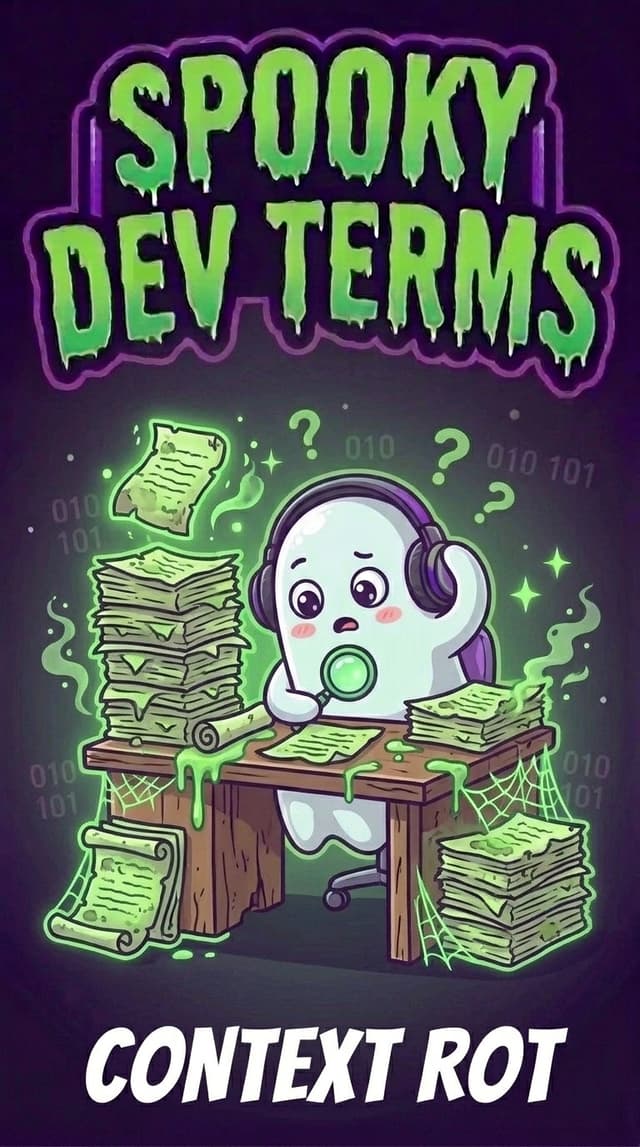
Think of the context window like a student's study desk:
- Every instruction you give sits on that desk.
- Every file the AI inspects gets placed on that desk.
- Every line of code, terminal output, and earlier question gets stacked on that desk.
Whenever the AI answers you, it glances across everything currently resting on that desk to decide what to say next.
In early models, this desk was tiny... it could only hold a page or two of notes. Modern models boast massive desks capable of holding hundreds of thousands of words (measured in "tokens," which are just bite-sized pieces of words).
Having a massive desk sounds fantastic, right? But that giant desk sets the stage for a spooky trap.
Why Does Context "Rot"?
Here is the twist: Context rot isn't a crash. It is a slow, creeping haze.
If you run out of memory completely, your program halts with a loud, red error. But context rot is what engineers call a soft failure. The AI doesn't stop talking. It keeps answering with cheerful confidence... except its answers quietly degrade.
Why does this happen?
1. The Cluttered Desk (Attention Dilution)
Imagine placing a single sticky note on a tidy, empty desk: "Always use purple for headers." Because that note is the only thing on the desk, your assistant spots it instantly every single time.
Now imagine piling that same desk with 500 pages of raw server logs, outdated drafts, abandoned ideas, and five hours of conversational chatter. That little sticky note is still somewhere on the desk, but it is now buried under a mountain of paper.
AI models use an "attention mechanism" to decide which words matter most. When the desk gets overcrowded, that attention gets stretched thin. The signal gets lost in the noise.
2. The "Lost in the Middle" Mystery
Researchers noticed a quirky habit in large language models: they are exceptionally good at remembering what is written at the very beginning of a prompt, and what was said in the last couple of messages.
Everything tucked in the middle? It tends to get blurry. If a critical constraint you laid down an hour ago is floating in the murky belly of a 60-turn conversation, the AI is likely to sleepwalk right past it.
3. Ghost Rules and Contradictory Clutter
During a long build session, your plans naturally evolve:
- At 1:00 PM, you say: "Let's build this with simple local storage."
- At 2:30 PM, you say: "Actually, let's switch to a cloud database instead."
- At 3:45 PM, you say: "Let's mock the data for now while we test."
All three instructions are still sitting in the active conversation history. As the session wears on, the AI gets confused about which past instruction still reigns supreme. Old instructions linger like restless spirits, pulling your code in competing directions.
The Top 3 Signs Your Session Has Context Rot
How do you know when your session has been infected with context rot? Watch for these telltale hauntings:
1. Deja-Vu Bugs
You fix an issue on turn 10. By turn 35, the exact same bug mysteriously reappears in the AI's suggested code snippets.
2. The Hall of Mirrors
The assistant starts writing repetitive explanations, ignoring concise instructions, or drifting away from your styling conventions.
3. The Forgotten Blueprint
The AI recommends changing a file or function that was deleted three hours ago, acting like it still lives in your workspace.
How to Exorcise Context Rot: The Builder's Playbook
The good news is that context rot isn't permanent, and avoiding it doesn't require deep computer science math. You just need good digital desk hygiene:
1. Treat Context Like Prime Real Estate
Never dump massive raw files, huge error logs, or entire documentation libraries into your chat window unless the AI specifically needs them for that exact step. The cleaner the desk, the sharper the mind.
2. Start Fresh Conversations for New Milestones
This is the single most effective habit you can adopt. When you finish building a feature (like setting up user authentication), don't keep using that same chat thread to build the checkout page!
Commit your work to Git, open a clean new chat tab, and give the AI a fresh, uncluttered desk.
3. Keep Rules in Dedicated Files (Not in Chat)
Instead of retyping your preferences into the chat every hour, place them in a permanent rule file like AGENTS.md or a project guide. That way, the AI reads a crisp, authoritative cheat sheet at the start of each task, rather than hunting through 50 past chat bubbles.
How Google Antigravity Shields You from Context Rot
When building in Google Antigravity, you don't have to manage context manually because the platform was engineered to keep your AI's attention razor sharp:
- Focused Background Subagents: Antigravity doesn't force a single, bloated conversation to do everything. When you run specialized tasks (like running tests, reviewing code, or researching documentation), Antigravity spins up dedicated subagents with their own clean, isolated context windows. When their task is done, they report back with a concise summary, leaving your main workspace free of clutter.
- Knowledge Items (KIs): Rather than re-reading thousands of lines of old logs, Antigravity uses structured Knowledge Items... curated snapshots of repository patterns and architectures that provide instant, high-signal context without drowning the AI in noise.
- Smart Context Compaction: Long-running conversations automatically compact older, redundant steps so that critical instructions remain at the front of the model's attention.
What to Tell Your AI Coding Assistant
If you ever feel a chat session starting to wander or act sluggish, you don't have to start from scratch blindly. Try this quick reboot prompt:
"Our chat history is getting cluttered and we might be experiencing context rot. Please summarize our current progress, list our active architectural rules and open tasks into a concise checklist, and let me know if we should start a fresh thread for the next step."
Your assistant will strip away the dead weight and hand you a tidy blueprint for your next session.
The Builder's Spooky-to-Human Cheat Sheet
| When you hear… | What it actually means… |
|---|---|
| Context Window | "The AI's active desk space or short-term scratchpad holding your current conversation." |
| Tokens | "Bite-sized fragments of words that the AI reads and writes to measure how much text fits on its desk." |
| Context Rot | "The slow decline in an AI's accuracy and focus as its conversation history gets overcrowded." |
| Attention Dilution | "When so much text is piled onto the desk that the AI struggles to spot the key instructions." |
| Lost in the Middle | "The tendency of AI models to forget details buried in the center of long conversations." |
| Context Compaction | "Tidying up the desk: summarizing old chat turns to free up clean attention for new work." |
Builder Takeaways
- Context is a finite superpower: More words do not equal better answers. Keep prompts clear, focused, and free of unnecessary noise.
- Watch for soft failures: Context rot doesn't throw a red error screen. If your assistant starts repeating old mistakes or ignoring rules, the desk is cluttered.
- Break big projects into fresh sessions: Close finished tasks and start new chat tabs for new features.
- Offload memory to project files: Use files like
AGENTS.mdand repository guidelines to give your AI a permanent memory that never rots.
Don't let the creeping fog of context rot haunt your codebase. Keep your digital desk clean, refresh your sessions regularly, and you'll keep your AI building at peak performance! 👻